 Hidden
Templates · Plainwork
Bill & Subscription Tracker (Excel): Due-Date Calendar and Cancel Flags
Track every bill and subscription, see what is due when across 12 months, and spot the ones you could cancel.
One-time price, VAT includedExcel and Google SheetsDownload link by email
Try it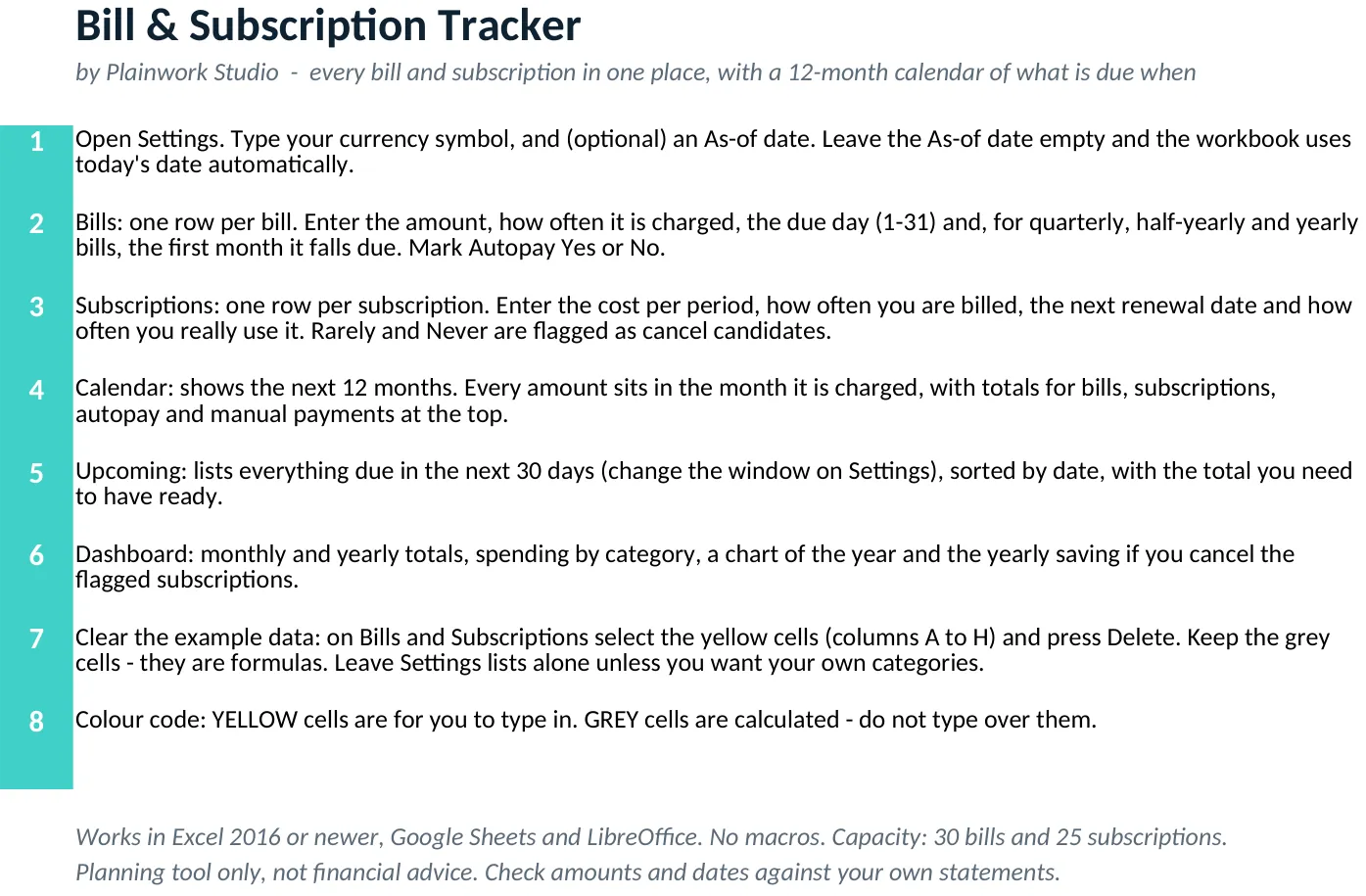
Use the real workbook before you buy.
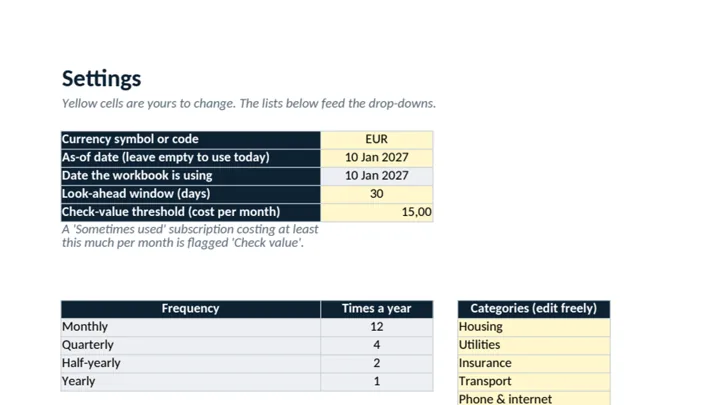
Open the actual sheets of this file, see what each yellow area does, and change the key number to see what the workbook calculates.
Explore a preview with sample inputs. The downloadable workbook is the full product.
What you get
Built, tested, ready to use.
- Bills table with amount, frequency (monthly, quarterly, half-yearly, yearly), due day and autopay yes/no
- Subscription list with renewal date, cost per year and cost per month worked out for you
- 12-month payment calendar showing exactly what is due in each month, split into autopay and pay-by-hand
- Upcoming list for the next 30 days (you choose the window), earliest first, with the total to have ready
- Cancel-candidate flags for subscriptions you rarely or never use, with the yearly saving shown
- Dashboard with monthly and annual totals, spending by category and charts
In the download
- bill-subscription-tracker.xlsx - workbook with 8 sheets (Start here, Settings, Dashboard, Bills, Subscriptions, Calendar, Upcoming, Calc)
- README.txt - quick start and how the dates work
- LICENSE.txt - licence terms
Personal or business use. Not for resale. Refunds: see our refund page.